Get started
Test mode
Test mode runs a checkout against your Stripe test account. Test cards work, nobody is charged, and a yellow Test mode strip shows at the top. Your published checkout doesn't change, so there's nothing to switch off before you launch.
Test mode needs a Stripe test account. Connect one under Settings → Payments & Tax Integrations → Test mode. Without it, checkouts always run live. To try a live checkout with a one-off price without paying, make a 100% off coupon and use it at checkout.
Test from your own site
Go to Settings → Advanced → Test domains and add the sites you test on. Checkouts on those sites open in test mode, with no code and no sign-in. Your real site stays live.
| Domain | Matches |
|---|---|
localhost | Any port |
*.ngrok.io | Any tunnel address |
staging.example.com | That site only |
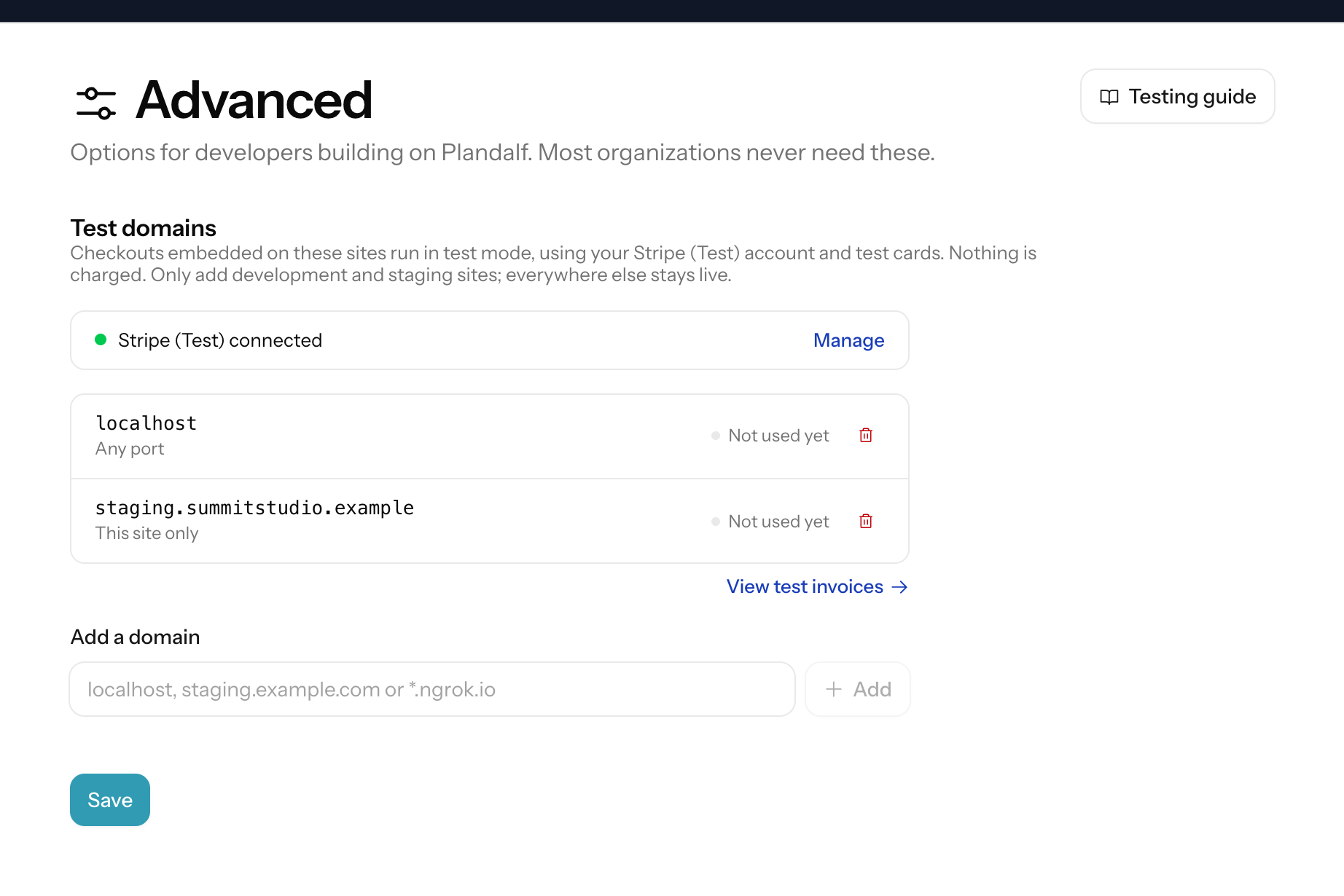
Each domain shows when a checkout last opened there.
Test a hosted checkout
Use Open the test checkout on the checkout's Share screen. The link works for anyone, needs no sign-in and lasts 30 days. Adding ?mode=test to the normal link by hand doesn't work.
Test from code
If you identify buyers with a signed token, add "mode": "test" to the token and open the checkout with mode: "test". Both are needed: the option asks for test mode and the signed token allows it, on any site. Anyone holding that token can open test checkouts, so only use it in development. See Identify buyers.
plandalf.present("YOUR-CHECKOUT", { mode: "test" });Test cards
| Card | What happens |
|---|---|
4242 4242 4242 4242 | Payment succeeds |
4000 0000 0000 9995 | Declined for insufficient funds |
4000 0027 6000 3184 | Asks for 3D Secure |
Use any future expiry date, any CVC and any postcode. Stripe lists more at docs.stripe.com/testing.
What a test purchase does
- It shows in Invoices with a test badge. Filter by Test only to find it.
- Automations skip it, so no partner commission or customer email, unless you turn on Run on test purchases for that automation.
- Receipts and notifications start their subject with
TEST:. - The SDK's purchase event carries
test: true. Never give someone access for a test purchase.
If a test card is declined
Stripe's message "Your request was in live mode, but used a known test card" means the checkout ran live. Check the browser console for a [Plandalf] warning: the site isn't in your test domains, or no Stripe test account is connected. On a hosted link there's no warning; the link wasn't the Share screen's test link.