Checkouts
Upsells and multi-page checkouts
An upsell is an offer you show after the buyer has paid. They accept with one click: Plandalf charges the card they just used, with no second card form.
Pages in an upsell checkout
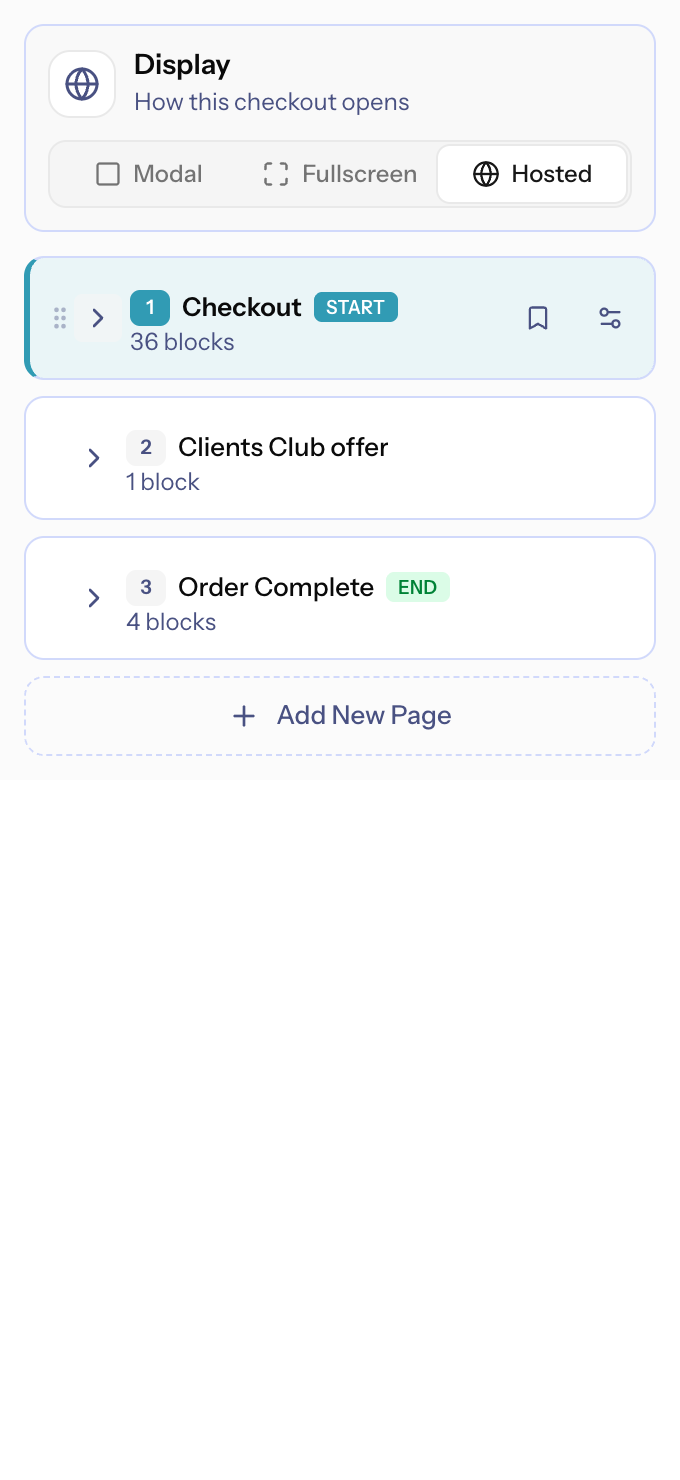
A checkout with an upsell has at least three pages, in the editor's Layout panel:
- The checkout page, where the buyer pays.
- The upsell page, with an Upsell block.
- A thank-you page, marked End.
The label under each page on the canvas shows where buyers go next.
Add a one-click upsell
Add an upsell page
In the Layout panel, click Add New Page and choose Upsell Screen. Put it after the page that takes payment.
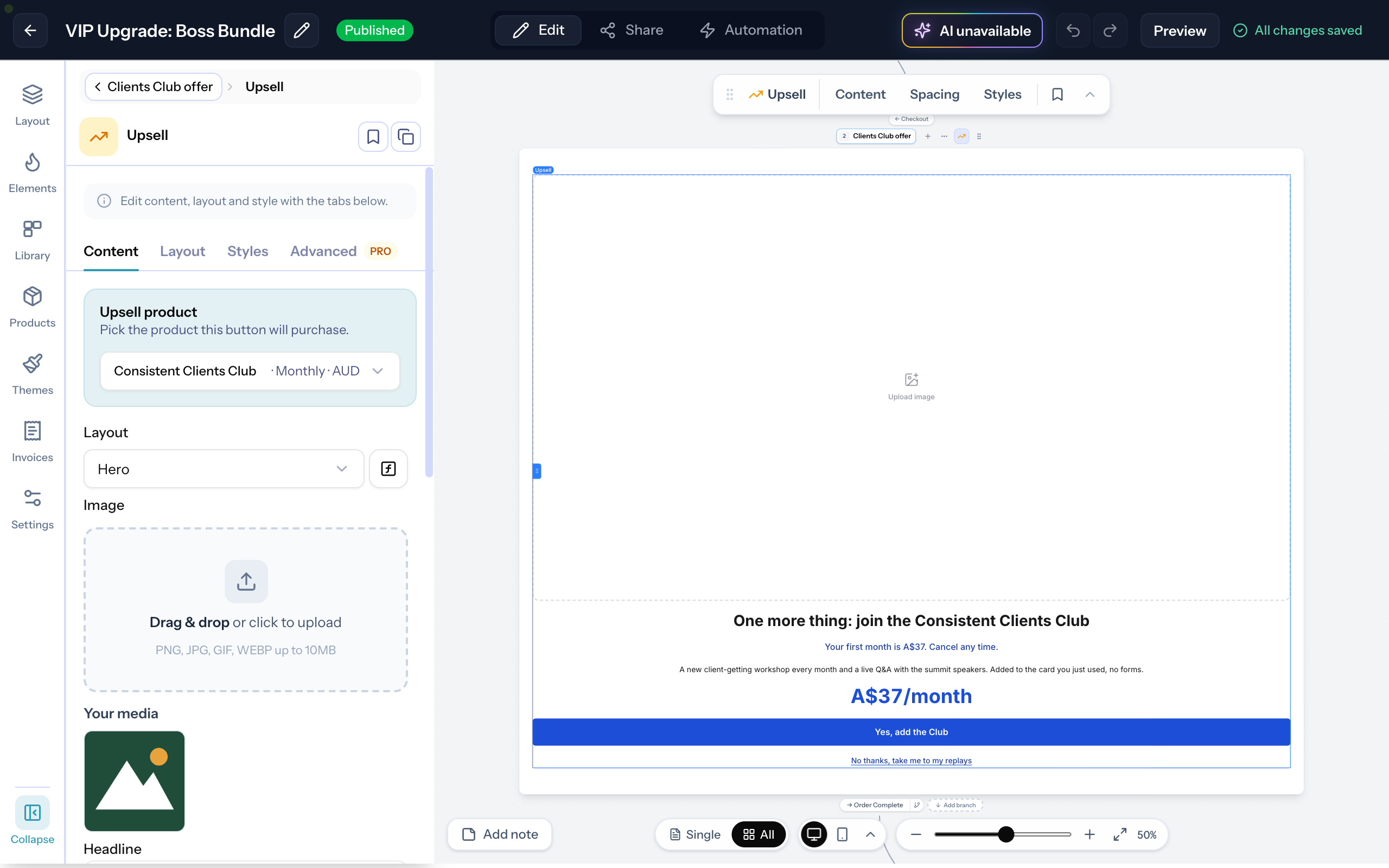
Add the Upsell block
Open Elements and drag Upsell (under Selling) onto the new page.
Pick the product
Under Upsell product, pick the product and price the accept button buys. It can be a one-off price or a subscription.
Write the offer
Choose a Layout (Minimal, Hero or Split), then fill in the Headline, Sub-headline, Body and Price. Original price (strikethrough) shows a crossed-out price beside it. Change the Accept button text and the Decline link text to suit.
Accept and decline actions
Accept Action decides what happens after Plandalf charges the upsell:
| Option | After the charge |
|---|---|
| Process payment & continue | Goes to the next page. |
| Process payment & redirect to URL | Sends the buyer to the Accept URL. |
| Process payment & close | Closes the checkout if it opened over your page. On a hosted page it goes to the next page. |
| Process payment & do nothing | Stays on the page. |
Decline Action does the same for the decline link: Continue to next page, Redirect to URL, Close or Do nothing. Turn off Show decline link to hide it.
The upsell is a separate charge from the main purchase, with its own invoice. If the upsell charge fails, the buyer keeps what they've already bought. An accepted upsell starts the Upsell Accepted trigger in Automations.
Branching
Click Add branch under a page on the canvas to send buyers to different pages depending on what they chose. For example, buyers who picked the yearly plan can skip the upsell and go straight to the thank-you page.
Other multi-page checkouts
Pages aren't only for upsells. Use them to:
- put a sales page or plan picker before the payment page,
- collect details on a Content Screen before asking for payment,
- end on your own thank-you page. See After the sale.
See Pages for the page types.