Affiliates
Start an affiliate program
An affiliate program pays partners a commission for the customers they send you. Setting one up takes about two minutes, then a checklist walks you through a test sale.
Affiliates is an add-on
Affiliates has a 14-day free trial, and you don't need a card to start it. After that it's an add-on to your Plandalf plan; the price shows on the button when you add it. Each organization gets one trial.
If the trial ends without the add-on, the Affiliates screens become read-only. Plandalf keeps tracking partner clicks and recording commissions, and partners can still sign in to their portal, so nobody loses credit. Add Affiliates and you can make changes again.
Only organization owners and admins can change rates, review commissions and pay partners. Other members can look around, add partners and send sign-in links.
Set up your program
Start
Go to Affiliates and click Activate Affiliates, or Set up affiliates if your trial has already started.
Where customers pay
Pick Plandalf checkout, My own Stripe checkout or payment links or Something else. This tells Plandalf how it will see each sale. See Plandalf checkout, Stripe or Any platform. If you run a program in another tool today, pick it under Moving from another affiliate tool? and Plandalf takes you to the import next.
What partners earn
Fill in the program's standard terms (below), then click Create and try it.
Try it
Plandalf opens the setup checklist, described below.
What partners earn
| Field | What it sets |
|---|---|
| Program name | Partners see it on your join page and in their emails. |
| Where partner links go | The page a partner's link opens, such as your home or sales page. |
| What partners earn | A percentage of each sale. It starts at 20%. |
| Pay on renewals? | First payment only, Renewals for a set time (a number of months from the first sale) or Every renewal. |
| How long a click counts | How many days after a click a sale still earns. It starts at 90 days. |
| Wait before paying | How many days a commission waits before you can pay it, so refunds can come off first. It starts at 30 days. |
| Who can join | Anyone can apply, you approve, Anyone can join or Invite only. |
Partner links look like yoursite.com/?via=jane. You pay partners yourself, in your organization's currency. You can add other rates later with campaigns.
Work through the checklist
Affiliates → Setup ticks each step off when Plandalf sees it happen, so you can keep it open while you test.
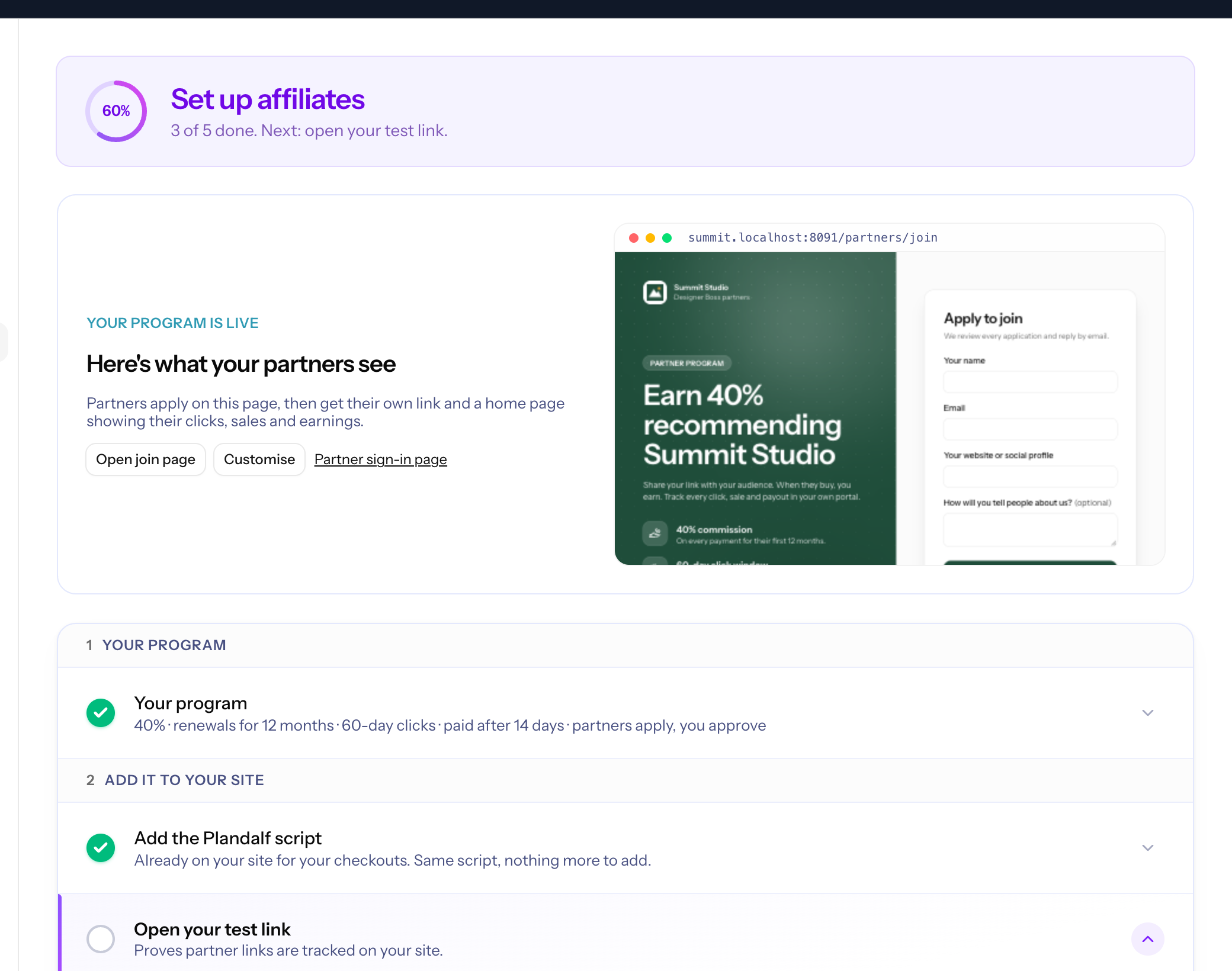
| Step | Done when |
|---|---|
| Your program | You've created the program. |
| Add the Plandalf script | Plandalf sees the script on your site. It's the same script your checkouts use. See Add Plandalf to your site. |
| Open your test link | You open yoursite.com/?via=plandalf-test in a private window and Plandalf records the click. |
| Make a test purchase | You buy with Stripe's test card 4242 4242 4242 4242 after clicking the test link, and the sale shows under View test sales. |
| Invite your first partner | You have one real, active partner. See Partners. |
The test link belongs to a built-in partner called "Plandalf test". It never earns a commission.
Test mode
Turn on Test mode in the Affiliates header to see test sales, commissions and payouts. Nothing in test mode moves real money. The switch only changes what you're looking at, in your browser; it doesn't change how sales are tracked.
The overview
Affiliates → Overview shows clicks, leads, paying customers, referred revenue and commission earned for the period you pick, your top partners, and anything waiting on you, such as applications and partners ready to be paid.
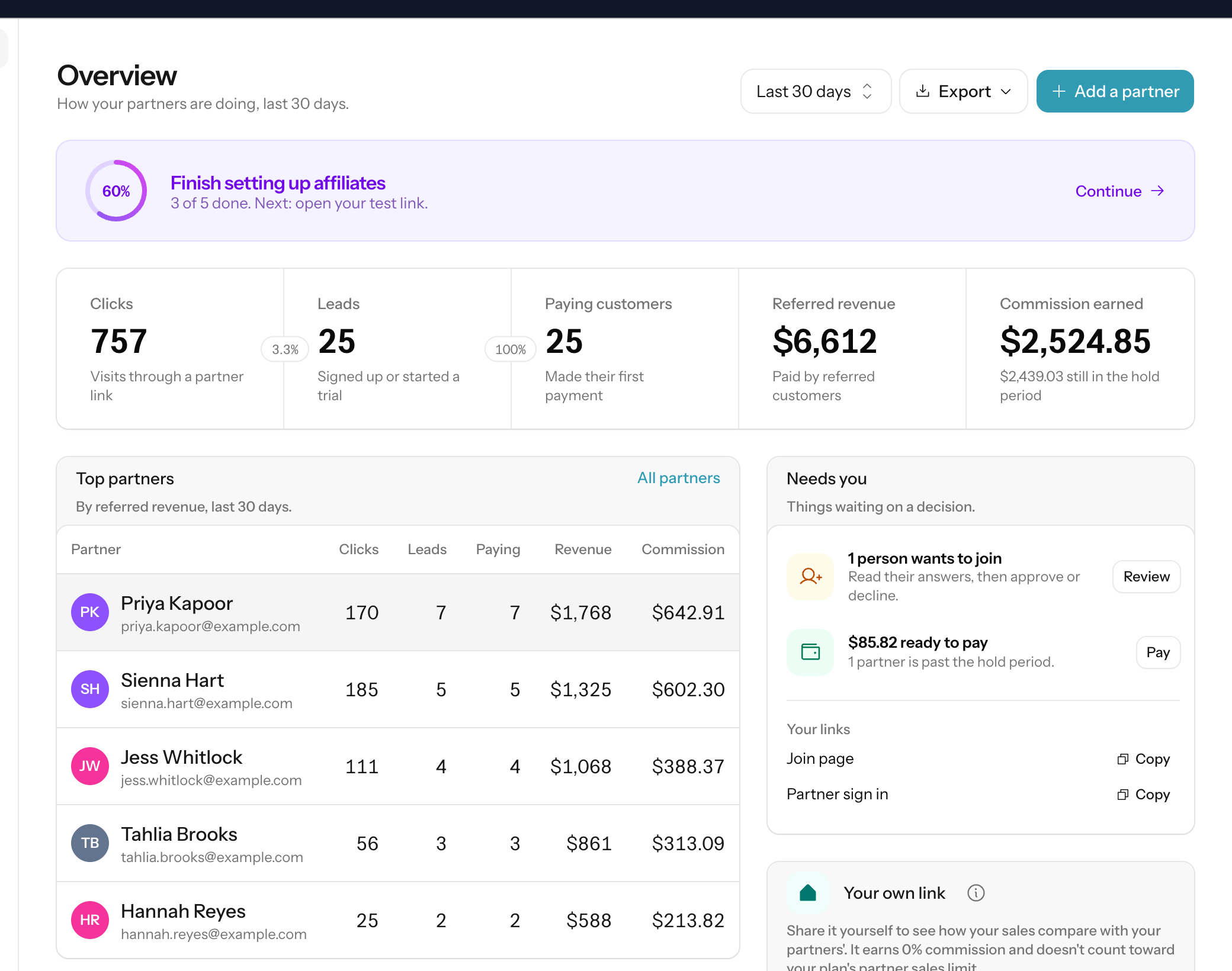
The Your own link card has a partner link for you. It earns 0% and never takes a sale from a partner, so you can share it and compare your sales with theirs. Click Change code to pick its code.
Program settings
Affiliates → Settings holds the settings for your whole program. Change what you need and click Save settings.
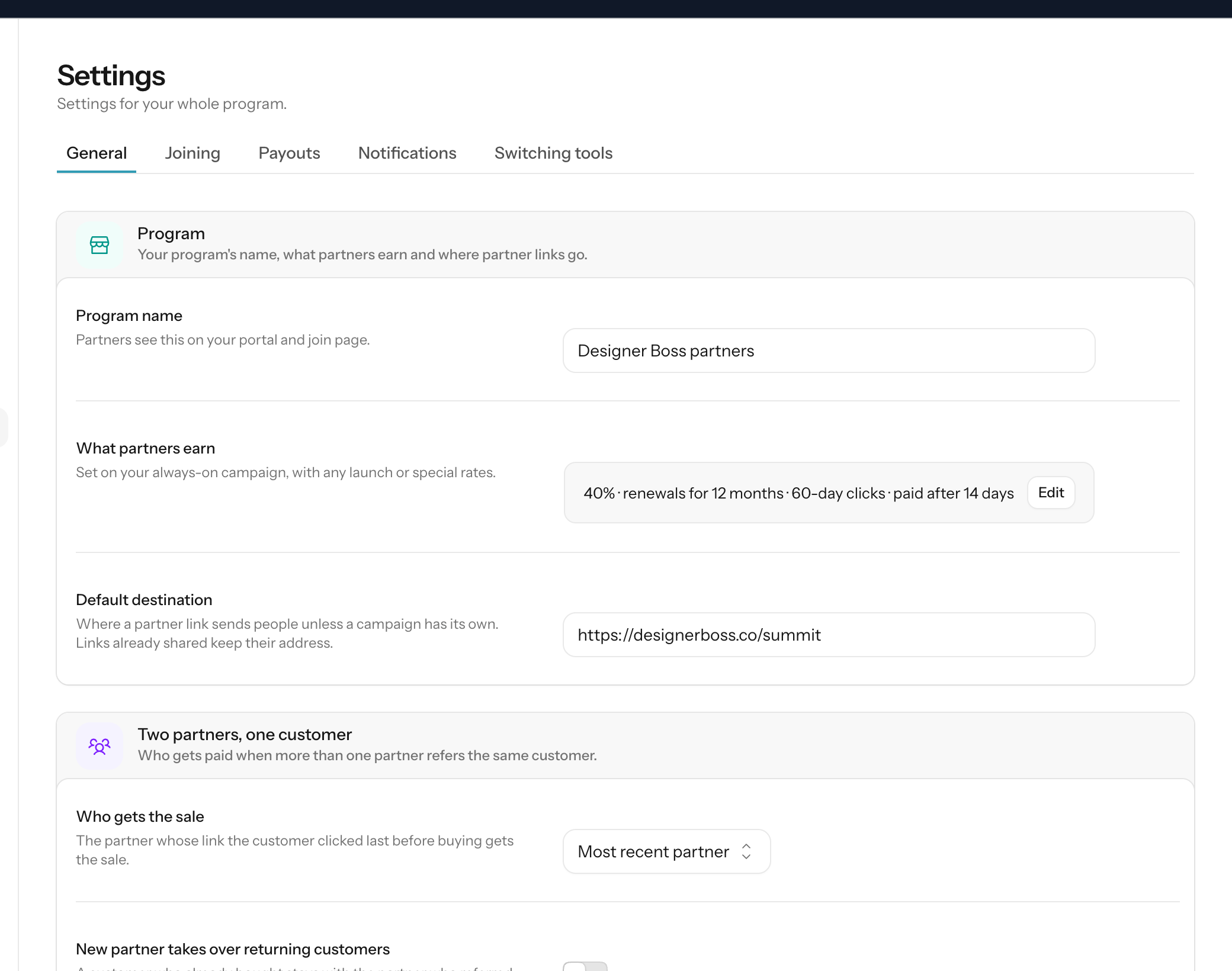
| Tab | What's on it |
|---|---|
| General | Program name and default destination. Who gets the sale when two partners sent the same customer. Where customers pay. Delete program, until you have live sales or payouts. |
| Joining | Your public join page, Review applications, a link to your partner terms and your join questions. See Partners. |
| Payouts | Payout currency, minimum payout, what commission is worked out on, and how partners get paid. See Commissions and payouts. |
| Notifications | Email alerts for new partners, new referred sales, payout review, payout failures and a daily digest. |
| Switching tools | The import, extra link words and settings for code written for your old tool. See Import from another tool. |