Checkouts
Checkout links
Every checkout has its own link, hosted by Plandalf. Use it in emails, social posts, link-in-bio pages, or anywhere you can't add a script.
Copy your checkout link
In the editor, open Share and choose Hosted link. Your checkout link is the address to share; click Copy. Once the checkout is published, the QR button gives you a code to print or show on screen.
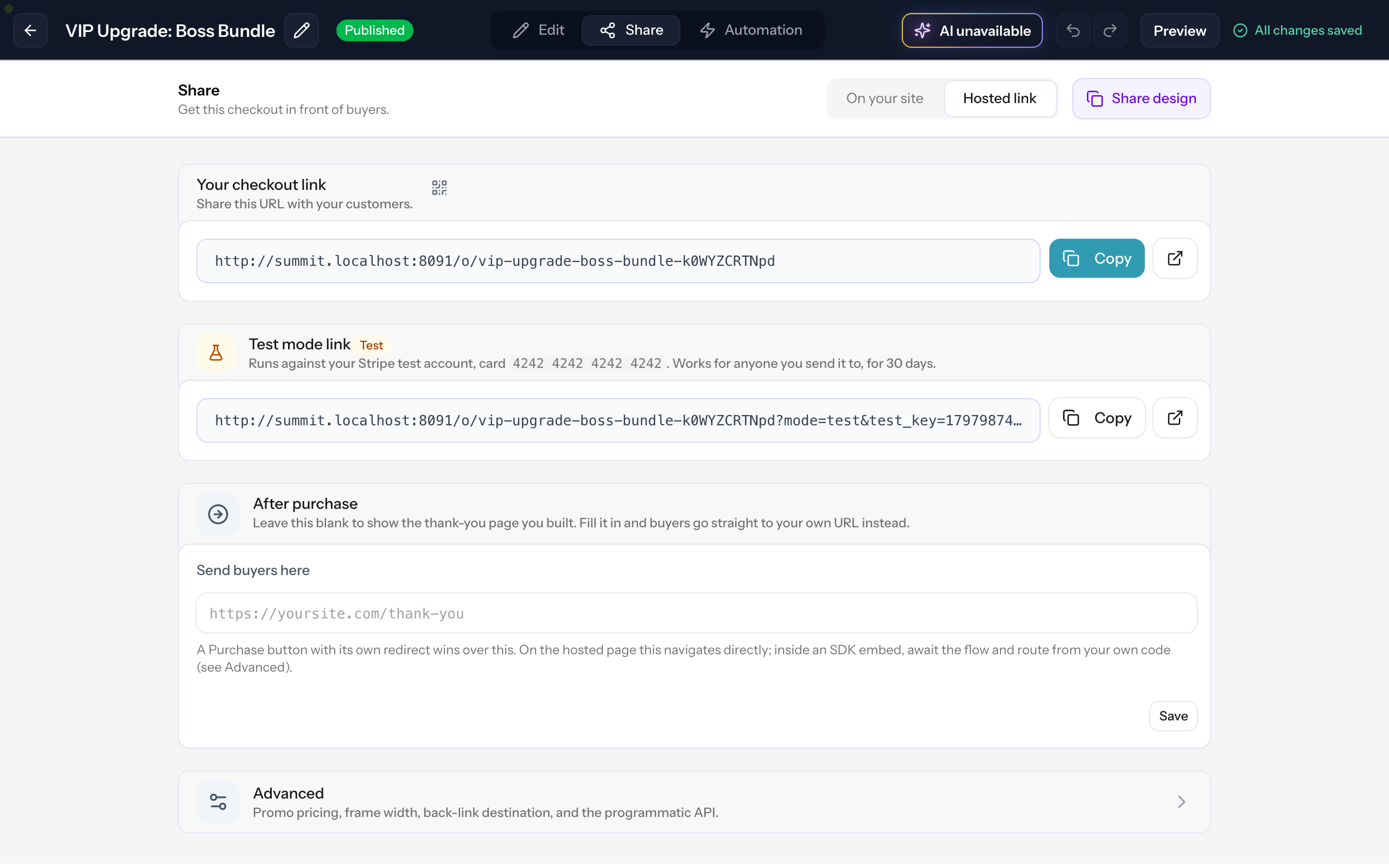
The link looks like https://YOUR-ORG.plandalf.dev/o/YOUR-CHECKOUT, on your organization's subdomain. You can also copy it from the checkout's ⋮ menu on the Checkouts list with Copy checkout link.
The link works for a draft checkout too, and takes real payments. Publish the checkout when you're ready for sales to count. See Draft and published.
The test link
Test mode link opens the same checkout against your Stripe test account. Pay with the card 4242 4242 4242 4242, any future date and any CVC; nobody is charged. Anyone you send it to can use it, for 30 days. It shows once your Stripe test account is connected. See Test mode.
Add details to the link
Add these to the end of your checkout link to fill things in for the buyer. Start with ? and join more than one with &.
| Add | What it does |
|---|---|
customer[email]=jane@example.com | Fills in the buyer's email. |
customer[name]=Jane%20Doe | Fills in the buyer's name. |
price=LOOKUP_KEY | Starts the cart with this price, by its lookup key. |
quantity=2 | Sets the quantity. |
currency=eur | Uses the item's price in this currency, if it has one. See Currencies. |
interval=year | Uses the item's price with this billing interval, if it has one. |
promo=early-bird | Applies a deadline timer's current price. See Deadline timer links. |
redirect_url=https://… | Where to send the buyer after paying, for this link only. |
cancel_url=https://… | Where the checkout's back link goes. |
utm_source, utm_campaign and other UTM tags | Recorded with the sale, along with ad click IDs such as gclid and fbclid. |
For example: https://YOUR-ORG.plandalf.dev/o/YOUR-CHECKOUT?customer[email]=jane@example.com&utm_source=newsletter
There's no link setting for coupons. Buyers type the code at checkout; see Coupons.
Share a checkout's design
Share design, at the top of the Share screen, copies a link to the checkout's design. Anyone with it can view the design and copy it into their own Plandalf account. Use it to show a layout to a colleague or another seller. Buyers can't pay through it.