API and webhooks
Site connection
A site connection is how a site plugin, such as the Plandalf WordPress plugin for MemberPress, talks to Plandalf. The site owner connects it through OAuth, and the plugin gets a token tied to the organization they chose. These endpoints only work with that token; an API key gets 403.
Endpoints a connection can call
A site-connection token reaches only what a plugin needs: these three endpoints, plus reading the organization, offers, prices, links and subscriptions, creating products and prices, managing links, cancelling subscriptions, and its own webhook endpoints. Anything else returns 403 with This endpoint is outside the site connection scope. It sees only the webhook endpoints it registered.
Sign a buyer token
POST /api/v1/site-connection/identity returns a buyer token for a logged-in member, signed with the connection's key. The plugin passes it to plandalf.identify(). Its sub is the site's user id as wp:<id>, and it lasts 5 minutes. See Identify buyers.
Disconnect
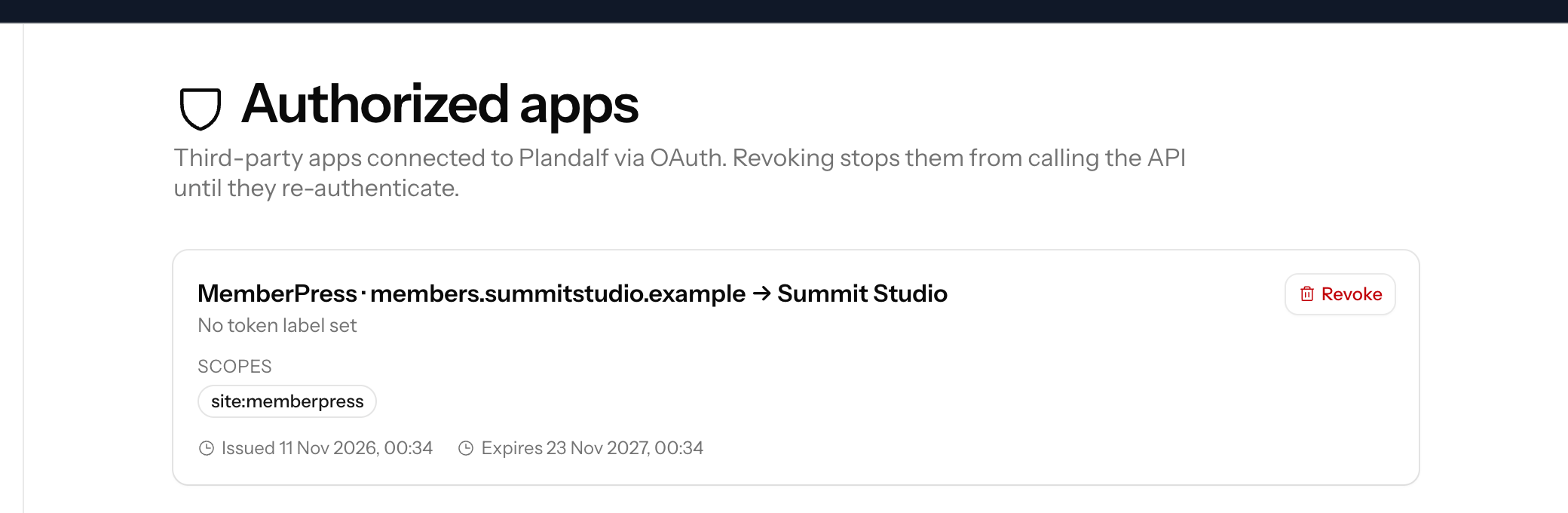
DELETE /api/v1/site-connection revokes the connection's tokens, its API key and the webhook endpoints it registered. The site owner can also revoke it under Settings → Authorized Apps. Either way, the site has to be connected again before it can call the API.
Endpoints
Retrieve the site connection
GET /api/v1/site-connection
The connection behind the OAuth token: the site it was authorized for, its mode, the
organization, and the URLs the site needs (API, the organization's host and its SDK
script). Only OAuth site-connection tokens can call it; API keys get 403.
curl https://admin.plandalf.dev/api/v1/site-connection \
  -H "Authorization: Bearer $PLANDALF_API_KEY"
Response
{
  "client_id": "string",
  "site_url": "string",
  "mode": "string",
  "api_url": "string",
  "host_url": "string",
  "domain": "string",
  "sdk_url": "string",
  "organization": {
    "id": 0,
    "name": "string"
  }
}
Errors
| Status | When |
|---|---|
401 | The API key or OAuth token is missing or invalid. |
403 | The credentials are valid but not allowed here: a site-connection token outside its scope, or the organization can't make this request. |
Disconnect the site
DELETE /api/v1/site-connection
Revokes the connection: its OAuth tokens, its API key and the webhook endpoints it registered. The site has to be connected again to call the API.
curl -X DELETE https://admin.plandalf.dev/api/v1/site-connection \
  -H "Authorization: Bearer $PLANDALF_API_KEY"
Response
{
  "revoked": true
}
Errors
| Status | When |
|---|---|
401 | The API key or OAuth token is missing or invalid. |
403 | The credentials are valid but not allowed here: a site-connection token outside its scope, or the organization can't make this request. |
Sign a customer identity
POST /api/v1/site-connection/identity
Returns a JWT (HS256, signed with the connection's API key, kid header set to the key's id)
that the site passes to plandalf.identify() so the checkout knows the logged-in customer.
sub is the site's user id as wp:<id>. The token is valid for 5 minutes.
Body
| Field | Type | What it is |
|---|---|---|
sub | string | |
email | string | |
name | string |
curl -X POST https://admin.plandalf.dev/api/v1/site-connection/identity \
  -H "Authorization: Bearer $PLANDALF_API_KEY" \
  -H "Content-Type: application/json" \
  -d '{"sub":"string","email":"string","name":"string"}'
Response
{
  "token": "string"
}
Errors
| Status | When |
|---|---|
401 | The API key or OAuth token is missing or invalid. |
403 | The credentials are valid but not allowed here: a site-connection token outside its scope, or the organization can't make this request. |
422 | The request failed validation; errors lists the problems by field. |