Customers and sales
Leads
A lead is someone who typed their email into a checkout and hasn't paid. The Leads screen lists them so you can follow up while they're still interested.
Where leads come from
Plandalf adds a lead as soon as a checkout has an email, whether the buyer typed it or it was filled in for them, for example from a deadline timer link or a signed-in visitor. There's no form to set up.
One email is one lead, however many checkouts they started. When that person pays, they leave Leads and show as Paying on Customers. Someone with a customer record who hasn't paid yet stays a lead, and shows as Lead on Customers too.
The list
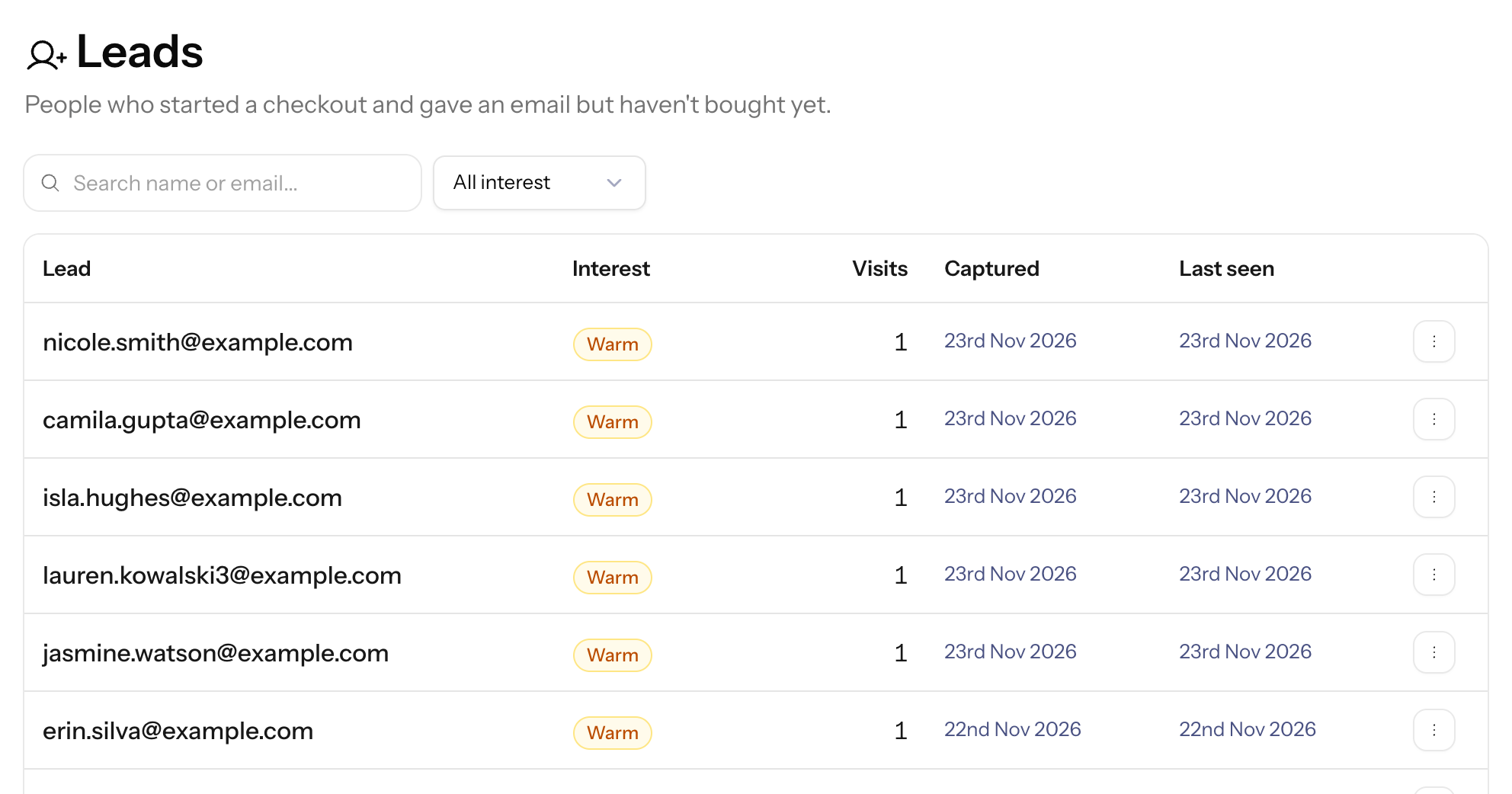
Each row shows the email and name, how warm the lead is, how many checkouts they started (Visits), when Plandalf first captured them and when they were last seen. The newest activity is at the top.
| Interest | Means |
|---|---|
| Hot | They started a checkout two or more times. |
| Warm | One checkout, in the last three days. |
| Cold | One checkout, more than three days ago. |
Search by name or email, or use All interest to show only hot, warm or cold leads.
Follow up
Hot leads are the ones most likely to buy. To email leads automatically, build a sequence that starts with the Cart Abandoned trigger. See Triggers and events. To see what a lead added to their cart, open Invoices, set the status filter to Draft and search for their email.
Hide your own test leads
If you tried your checkout with your own email, choose Mark as test from the ⋮ menu on that row. The lead gets a test badge and is left out of reporting. Remove test flag undoes it.