Affiliates
The partner portal
Every partner gets a portal on your Plandalf host, with their link, their sales and their payouts. You choose how it looks and which emails partners get.
How partners sign in
The portal is at YOUR-ORG.plandalf.dev/partners. Partners enter their email and click Email me a sign-in link, or use Continue with Google where it's offered. There's no password. A link they ask for lasts 30 minutes, and they can tick Keep me signed in on this device for 30 days.
New partners get a sign-in link in their invite or approval email. You can send another from their page with Send sign-in link.
What partners see
| Page | What's on it |
|---|---|
| Home | Their link for each campaign, with Copy link and Link to a different page. A chart of clicks, sales and earnings. Their balance. A setup list: application approved, accept the program terms, set up how they get paid, share their link. Your resources. |
| Earnings | Every commission and its status, and how they earn and get paid. |
| Payouts | Their next payout and payout history, with what each payout covers. |
| Settings | Their display name, their payout email, your program terms and which emails they get. |
Once approved, partners can change their own link code on Home. Links they've already shared keep working. If their link carries a deadline timer, Home also gives them the email countdown for it, with Copy HTML.
For payouts, partners enter the PayPal or Wise email you should send money to. When they change it, Plandalf emails the new address to confirm and waits before paying it. See Commissions and payouts.
Make it look like you
Go to Affiliates → Partner experience. Click View as partner to open the real portal as the "Plandalf test" partner, or Join page to see your join page.
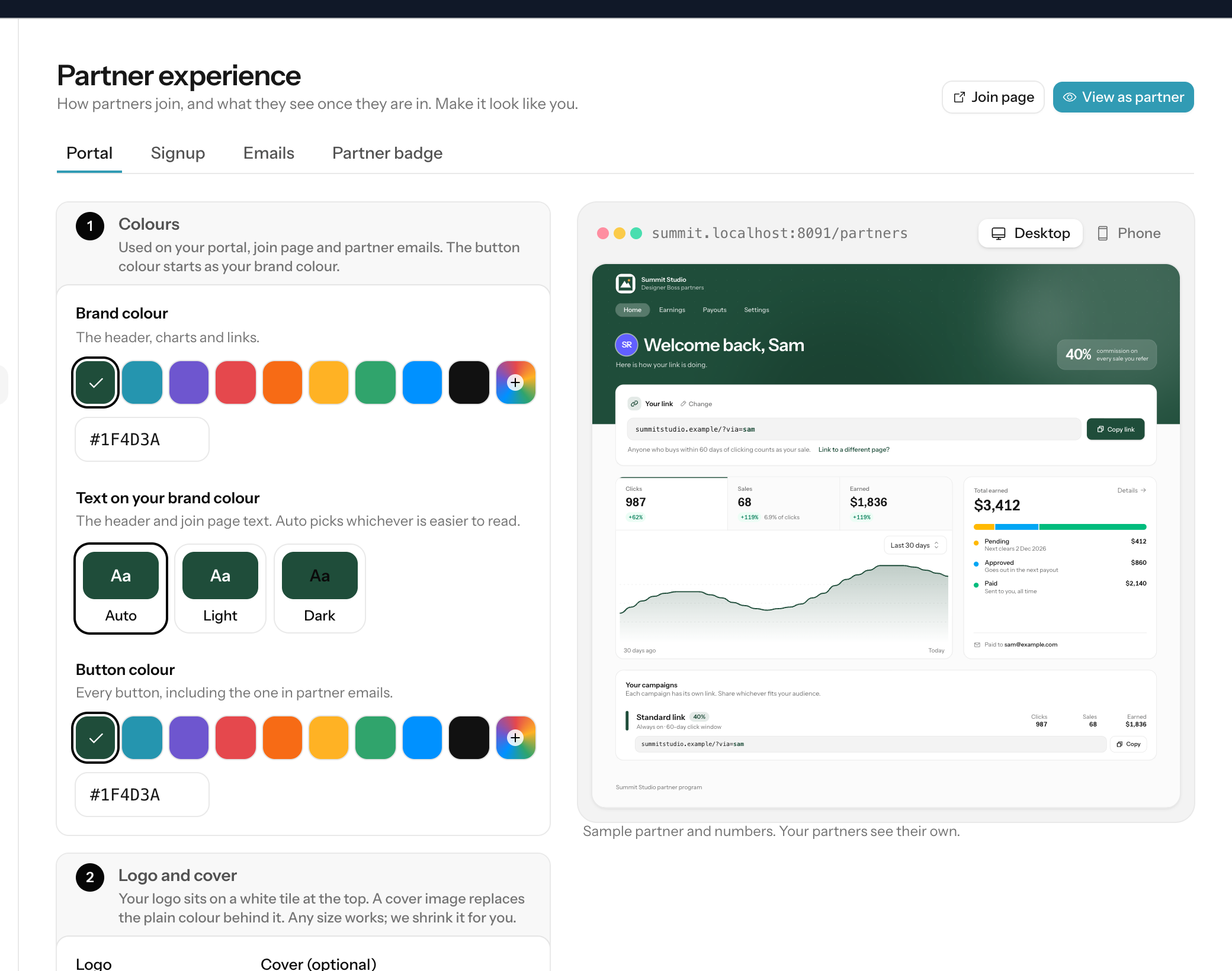
| Tab | What you set |
|---|---|
| Portal | Brand colour, button colour, logo, an optional cover, a welcome message of up to 280 characters, and up to 6 resources. A resource is a link or a file (PDF, ZIP, image or video, up to 100 MB). |
| Signup | Your join questions, the join page's colours, logo and background, and its text: headline, intro, up to 4 perks, form title and button. |
| Emails | The reply-to address, and which partner emails Plandalf sends. |
| Partner badge | The badge that tells buyers which partner sent them. See The referral badge. |
The join page text can use {commission}, {company}, {click_window} and {minimum}, which Plandalf fills in from your program. The preview beside each tab updates as you type, with a desktop and phone view.
Partner emails
Plandalf emails partners when they join, when they make a sale, when a commission changes and when they're paid. On the Emails tab, switch off any you don't want. The sign-in link, payout method confirmations and payout method change notices are always sent. Pick an email to preview it, and click Send me a test to get a copy.
Partners can turn emails off for themselves under Settings in their portal.