Automations
Templates
A template builds a whole sequence for one checkout: the trigger, its steps and sensible defaults. You finish the details in the editor and turn it on.
Add a template
Choose it
Open Automations → Templates and click + Add on a template. You can also add one from a checkout's Automations view, where the templates show as suggestions.
Pick the checkout
Search for the checkout it's for and click Add →. Plandalf creates the sequence, limited to that checkout, and opens it.
Finish the steps
Open each step and fill in anything left blank, such as a sender address, a deadline timer or a webhook URL. Test each step.
Turn it on
Every template is added switched off. Turn it on when the steps are ready.
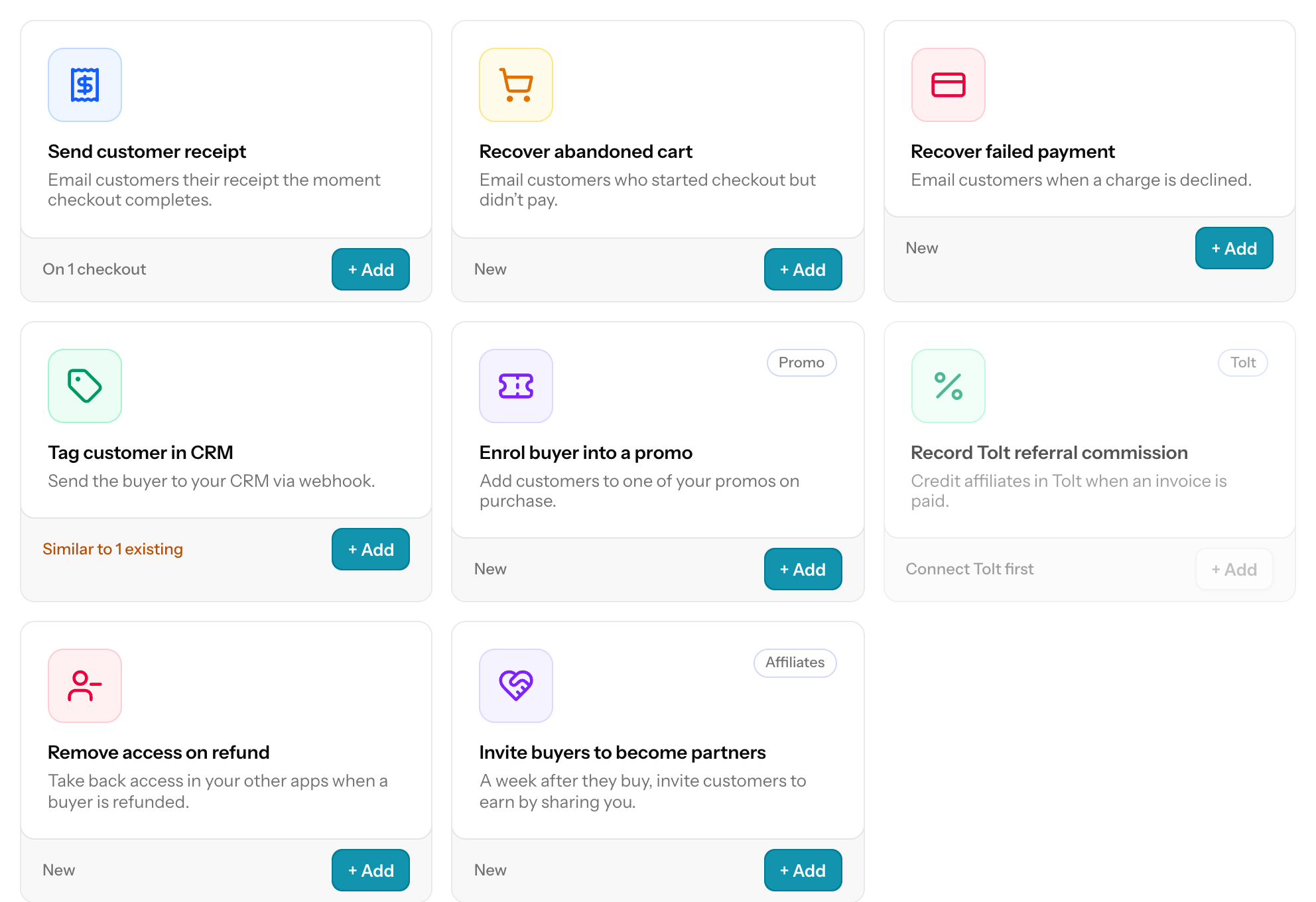
A card shows On 1 checkout once you've used it, and Similar to 1 existing when you already have a hand-built sequence that does the same thing. Adding it anyway is fine.
The templates
| Template | Trigger | Steps |
|---|---|---|
| Send customer receipt | Checkout Completed | Send Order Receipt. If the checkout has upsells, a 15-minute Delay first, so the receipt covers everything they bought. |
| Recover abandoned cart | Cart Abandoned, 30-minute wait | Send Email with a reminder. Replace the placeholder line in the body with a link to your checkout before turning it on. |
| Recover failed payment | Cart Recovery | Send Email with a link to pay the invoice with another card. |
| Tag customer in CRM | Checkout Completed | Send Webhook posting the buyer's email, name, checkout, invoice and total to a URL you fill in. |
| Enrol buyer into a deadline timer | Checkout Completed | Enroll in Promo. Pick the deadline timer. Needs at least one deadline timer. |
| Record Tolt referral commission | Invoice Paid | Tolt's Find or Create Customer, then Create Transactions From Invoice. Needs Tolt connected. See Tolt. |
| Remove access on refund | Invoice Refunded, full refunds only | One removal step for each connected app. See below. |
| Invite buyers to become partners | Checkout Completed | A 7-day Delay, then Invite to Partner Program with your signup link. Needs your affiliate program set up. |
The email templates leave Sender Email empty. Fill it with an address on a verified sending domain.
You can add Recover abandoned cart, Recover failed payment, Tag customer in CRM and Enrol buyer into a deadline timer more than once to the same checkout, for example a second reminder with a longer wait, or a second webhook destination.
Remove access on refund
This template takes back what a buyer was given in your other apps when their payment is refunded in full. It adds one step for each connected app that can remove access, with Email Address already set to {{trigger.customer_email}}. Open each step and pick what to remove.
| App | Step | You pick |
|---|---|---|
| Kit | Remove Tag from Subscriber | Tag |
| Drip | Remove Tag | Tag |
| Mailchimp | Remove Tags from Contact | Audience and tags |
| MailerLite | Remove Subscriber from Group | Group |
| Circle | Remove Member from Space | Space |
| Kajabi | Revoke Offer | Offer |
| Teachable | Remove Student from Course | Course |
| Thinkific | Remove Student Access | Course or bundle |
Each of these steps is skipped, not failed, when there's nothing to remove. Delete the steps you don't need.
With none of those apps connected, the template adds Send refund to webhook instead. It posts the buyer, the checkout, the invoice, the refund amounts and what they bought to a URL you fill in, for Zapier, Make, n8n or your own site.
Steps are only added for apps connected when you add the template. For an app you connect later, add its removal step to the sequence yourself.
Slack notifications
Under Recipes, Slack notifications posts sales, renewals, refunds and upsells to Slack without building anything. It isn't tied to a checkout. See Slack.