Affiliates
Referral links and the badge
Each partner shares a link to your site with their code on the end. The Plandalf script on your site records the click and remembers the partner until the visitor buys.
What a partner link looks like
https://yoursite.com/?via=janeThe page is the destination you set for the program or campaign, and jane is the partner's link code. A partner can add their code to any page on your site, which is what Link to a different page in their portal does. Only codes that belong to a partner count.
If you moved from another tool, its link word works too, so partners' old links keep earning. You can add more link words, separated by commas, under Settings → Switching tools → Link word. pf_ref can't be one: Plandalf uses it for deadline timers.
How long a click counts
- A sale earns if it happens within the campaign's click window, which starts at 90 days.
- If the visitor clicks a second partner's link, the most recent partner gets the sale, unless you chose First partner under Settings → General → Who gets the sale.
- Once a customer has paid, their renewals stay with that partner.
What the script stores
After a partner click, the script keeps a referral token in the visitor's browser and in a first-party cookie called pf_rt. The token starts with rt_. Plandalf checkouts read it automatically. For checkouts Plandalf doesn't render, send it to Plandalf yourself. See Stripe and Any platform.
Carry the referral to another domain
A cookie doesn't follow a visitor to another domain, such as a separate app or store. Mark the links that go there, and the script adds pf_rt to them when clicked:
<a href="https://app.example.com/signup" data-plandalf-decorate>Start your trial</a>To do this for every link to a domain, list it on the script tag: data-config-referral-decorate="app.example.com". The other domain needs the Plandalf script too.
The referral badge
The badge tells buyers which partner sent them, for example "Recommended by Jane". Set it up under Affiliates → Partner experience → Partner badge.
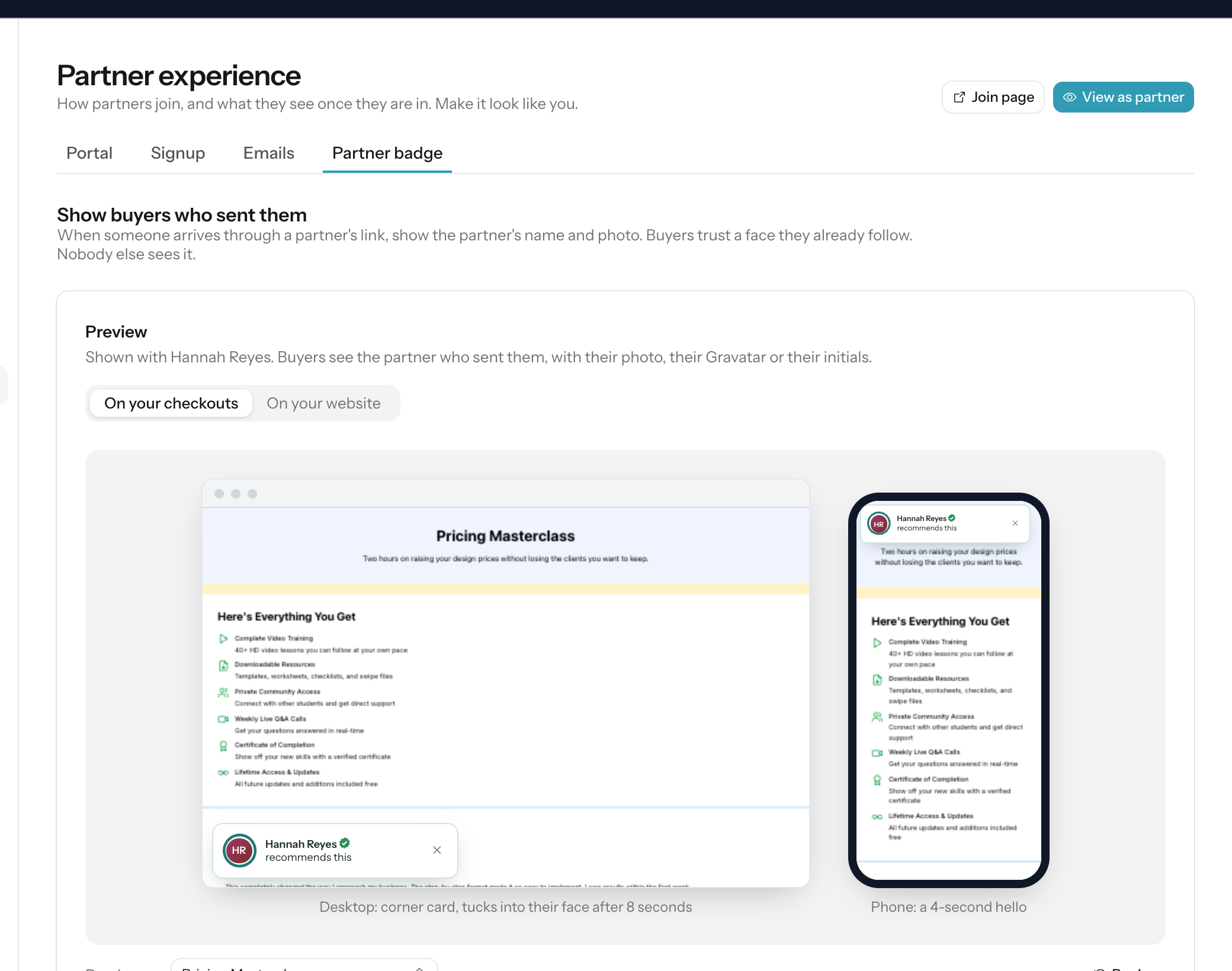
| Show buyers who sent them | Turns the badge on. |
| Style on your website | Picks Pill, Note, Bar or Corner pop-up. |
| Wording | Sets the text. {partner} becomes the partner's name. |
| Where it shows | Turns it on for your Plandalf checkouts and your own website. |
For your website, copy the snippet from Where it shows and paste it where the badge should appear:
<plandalf-referral variant="pill" template="Recommended by {partner}"></plandalf-referral>The badge only shows to visitors who came through a partner link, and a visitor can dismiss it. If you'd rather use a div, these attributes do the same:
| Attribute | Values | What it does |
|---|---|---|
data-plandalf-decorate | Present on a link: when the visitor has a referral, the SDK appends pf_rt=<token> to the link's URL on click, whatever its host. Links to hosts in referral.decorate are decorated without it. | |
data-plandalf-referral | Marks an element as the place for the referral badge. The SDK appends a <plandalf-referral> badge inside it when the visitor arrived through a partner link. | |
data-plandalf-referral-template | On a data-plandalf-referral element: badge wording with a {partner} token. | |
data-plandalf-theme | light dark auto | On a data-plandalf-referral element: the badge colours. |
data-plandalf-variant | pill note bar float | On a data-plandalf-referral element: the badge style. Default pill. |
Test whether the badge helps
Under Test whether it helps, set Hide it from to hide the badge from a share of referred visitors, up to 50%. New programs start at 10%. Hiding the badge doesn't change who gets credit. Results so far compares visitors who saw it with those who didn't.
Use the referral in your own code
To read the partner's name, add the referral to your own checkout, or wait for consent before tracking, see Referrals from code.