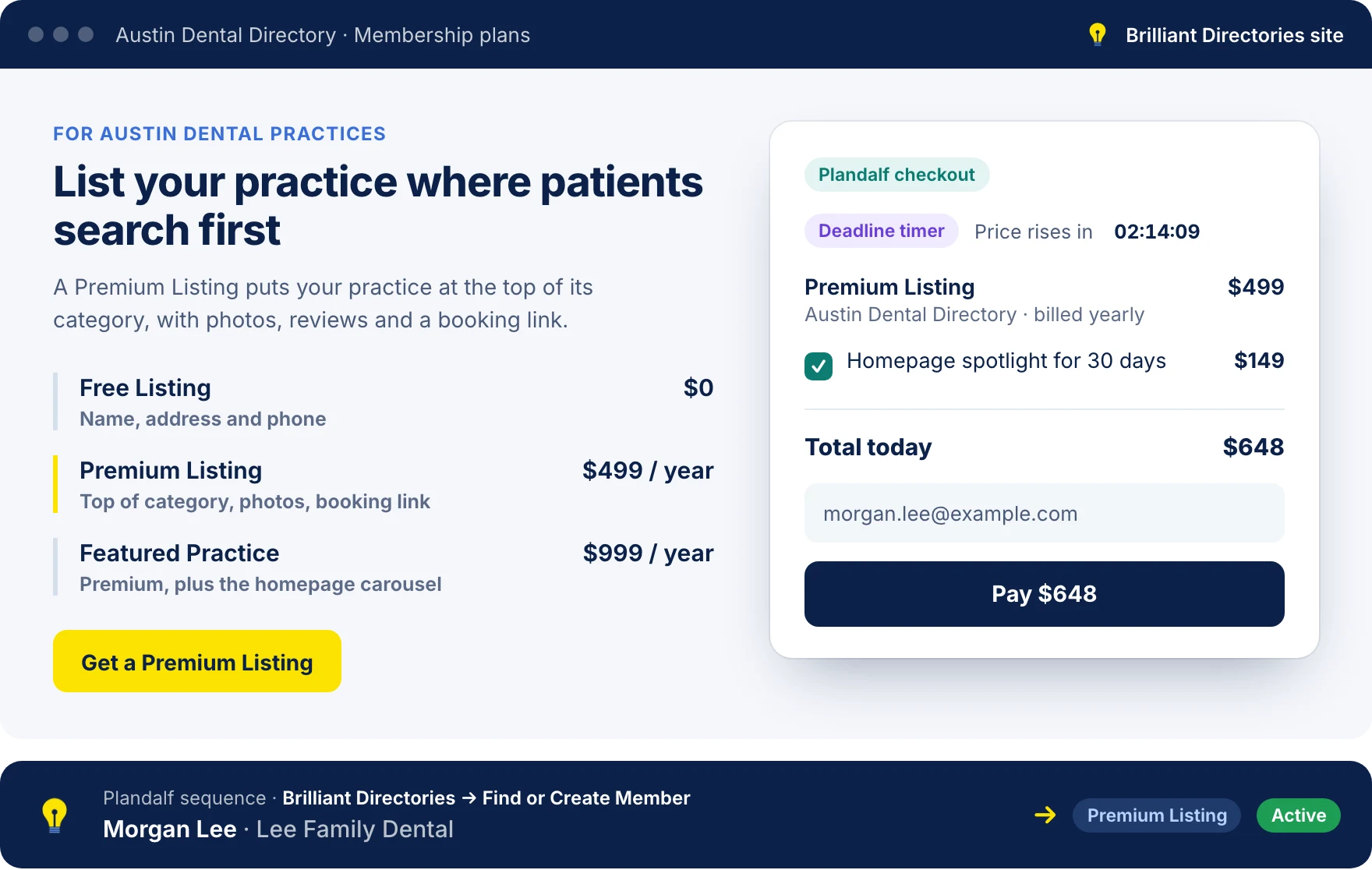
Who does what
You keep running your directory in Brilliant Directories. Plandalf sells the membership.
- Brilliant Directories
- Your directory, member profiles, membership plans and what each plan unlocks.
- Plandalf
- The checkout, prices, the Stripe payment, invoices and the sequences after the sale.
- The app
- Puts buyers on a membership plan, moves members between plans and sets their account status through the BD API.
Set it up in four steps
Test with your own email first: a test run creates a real member in BD.
Generate a BD API key
Developer Hub » Manage API Keys » Generate API Key, then switch on Membership Plans under Advanced Endpoints.
Connect it in Plandalf
Automations → Marketplace → Connect on Brilliant Directories. Paste your site URL and the key.
Add Find or Create Member
In a Checkout Completed sequence, map the buyer’s email and pick the membership plan.
Put the checkout on your site
Script in Additional HEAD Code, then the button in a widget on your page.
Read the full Brilliant Directories guide →Brilliant Directories, Stripe and PayPal
What directory owners ask before they change anything.
Doesn’t Brilliant Directories take payments already?
Yes, BD has its own gateways, such as Stripe, PayPal and Authorize.net. Use Plandalf when you want its checkouts, deadline timers, affiliates and sequences in front of your plans.
Does the Plandalf checkout take PayPal?
Not yet. Plandalf checkouts take Stripe today.
Which BD plan do I need?
BD lists the Developer API and native webhooks under “Included with every plan” on its pricing page.
What the app doesn’t do
- It doesn’t create BD invoices or BD subscriptions. Payments stay in Plandalf.
- It doesn’t delete members. It sets their status instead.
- It writes the name, company and phone number only. Categories and listing details stay as your plan sets them.
- BD sends each webhook once, unsigned, and doesn’t retry a failed one.