

Payment integration
Connect PayPal to Plandalf
Take PayPal on every Plandalf checkout. Connect your account once, no per-checkout wiring.
No credit card required. No coding required.
PayPalcheckout.completedinvoice.paidinvoice.payment_failed
Overview
How PayPal and Plandalf split the work
PayPal moves the money. Plandalf runs the offer, the checkout and everything that happens after the sale.
PayPal- Payment succeeded$199.00 · Apple Pay
- Customeralex@studio.co
- PayoutThu · $199.00
Direct connection available
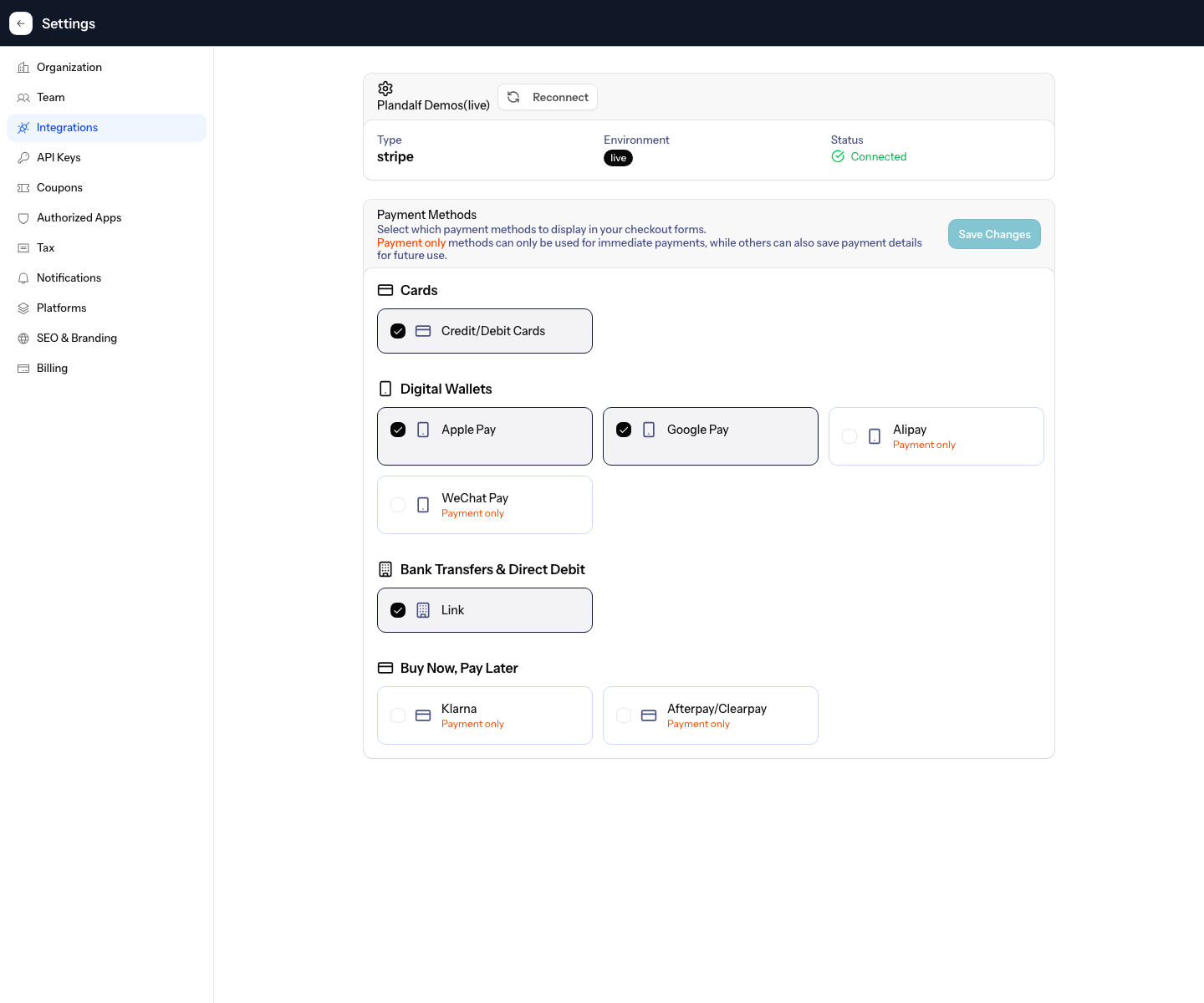
PayPal is connected under Settings, Payments and Tax Integrations, through PayPal's own authorise flow. After that every Plandalf checkout can take payment through it: the charge and the customer land in your PayPal account, and Plandalf keeps the offer, the receipt and whatever runs after the sale.
PayPal owns
- Your account and payouts
- Cards, wallets and bank methods
- Fraud checks and disputes
- Payment records
Plandalf owns
- The offer, prices and coupons
- The checkout page and flow
- Receipts and invoices
- What runs after the sale
Set it up
Connect PayPal in three steps
The short version. The PayPal setup guide has the full walkthrough and the test-mode checks.
- 1
Connect PayPal
Settings, Payments and Tax Integrations, then Connect PayPal. Authorise the account and you are back in Plandalf. Test and live accounts connect separately.
- 2
Attach it to a product
Add a price to a product and pick PayPal as the processor.
- 3
Publish the checkout
Open the offer in test mode, pay with a test card, check the receipt and the automations it fired, then switch it to live.
- Read the PayPal setup guide →
Triggers and actions
Start with the sale. Build whatever comes after.
Any checkout event can start an automation with the whole order in hand. Stack the steps, wait between them, send the order to your tools.
Plus MailerLite, Circle, Kit, Drip and thirty more. See every integration
 Checkout completedOrder #4821 · Maya Chen · $249.00FiredSend order receiptPlandalfDone
Emails Maya her receipt the moment she pays, from your domain.
Integrations
Keep your site. Upgrade how it sells.
Plus a fully documented REST API and webhook layer for whatever’s not in the list.
































Questions
Common questions about PayPal and Plandalf
The short answers. The docs have the long ones.
How does Plandalf connect to PayPal?
Through PayPal's own connect flow. Authorise the account and every checkout can take payment through it; nothing else to install.
What does Plandalf send to PayPal?
The charge, the customer and the products and prices you attach to the offer. PayPal stays the record of payment; Plandalf holds the offer, the receipt and what runs after.
Does Plandalf become my merchant of record?
No. Money lands in your PayPal account and PayPal stays the processor of record. Plandalf runs the checkout, the offer and what happens after the sale.
Can I use the products and prices already in PayPal?
Yes. When a product is connected to PayPal, Plandalf searches your PayPal prices and prefills the price form, so amounts, currencies and intervals stay aligned.
Can I test before taking real money?
Yes. Every offer has a test-mode link. Complete it with a PayPal test card and check the session, the receipt and the automations it fired before switching to live.
Does Plandalf see card numbers?
No. Card details go from the buyer to PayPal directly. Plandalf stores the PayPal customer and charge IDs it needs to reconcile the order.
The team
Built by a team obsessed with conversion.





15+ years testing every pricing model under the sun. Every part of Plandalf comes from a real checkout problem we’ve had to solve ourselves.
No credit card required. Nothing to migrate.