
Website integration
Connect Carrd to Plandalf
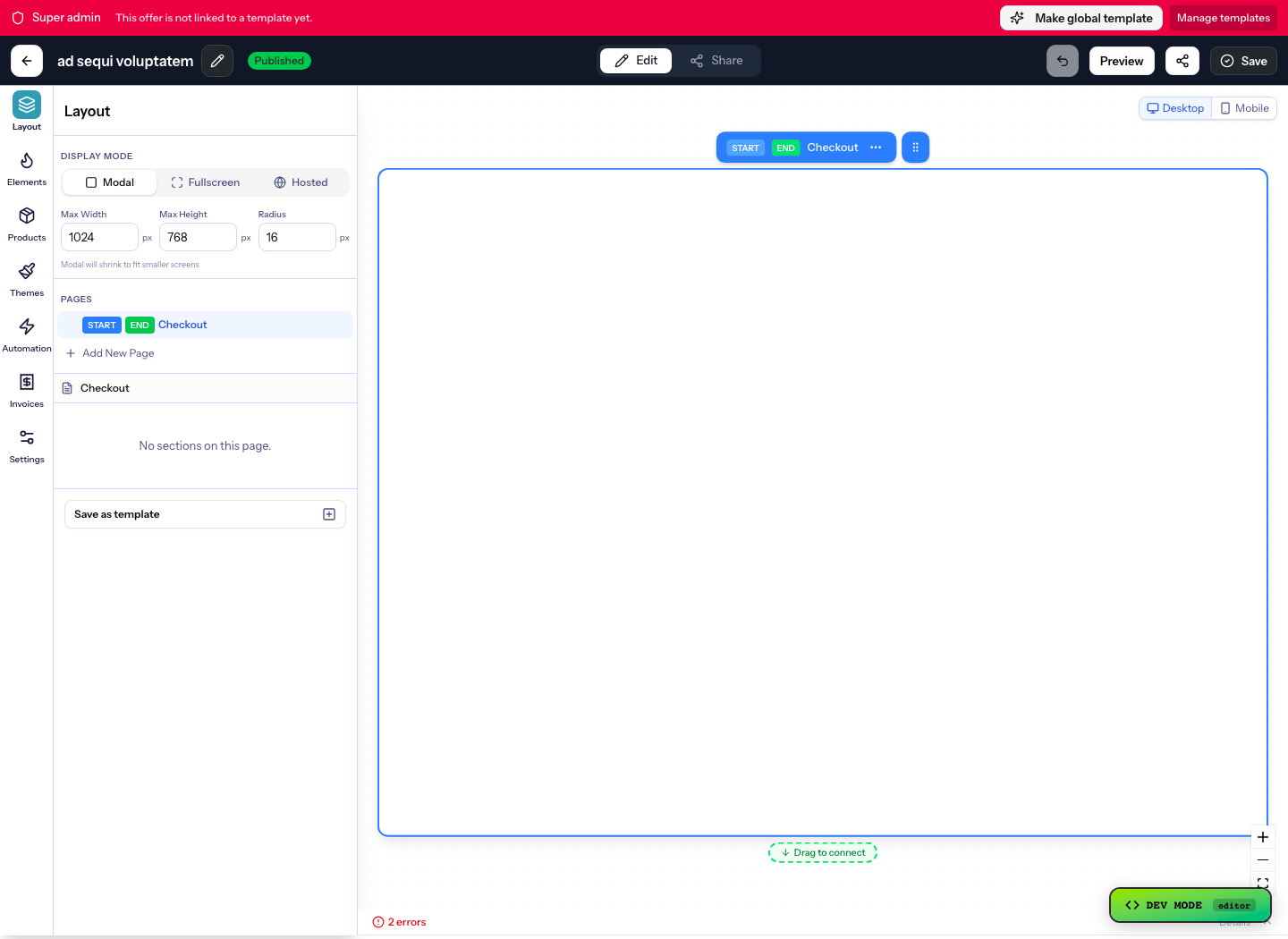
Send a Carrd button to a Plandalf hosted checkout, or use a Pro Standard Embed element for the SDK and inline checkout.
No credit card required. No coding required.
 Stripe
buy button clickedcheckout.completedredirect to thank-you
Overview
How Carrd and Plandalf split the work
Carrd keeps the site and the traffic. Plandalf adds the checkout and takes the payment without a rebuild.
Checkout embed available
Add the Plandalf script to your Carrd site and tag any button with the offer it should sell. The checkout opens over the page in your brand; Carrd keeps the site and the traffic, Plandalf takes the payment and runs what comes after.
Carrd owns
- Your pages, design and traffic
- Hosting and the domain
Plandalf owns
- The buy button and the checkout
- Payment, receipts and subscriptions
- What runs after the sale
Set it up
Connect Carrd in three steps
The short version. The Carrd setup guide has the full walkthrough and the test-mode checks.
- 1
Add the script
Paste one script tag into your Carrd site, in the head or before the closing body tag.
<script src="https://your-org.plandalf.app/js/plandalf-sdk.js" async></script> - 2
Tag a button
Put the offer slug on any button or link. Clicking it opens the checkout over the page.
<button data-plandalf-present="pro-plan">Buy now</button> - 3
Test it, then go live
Every offer has a test-mode link, so you can wire it into a staging copy of your Carrd site first. Nothing else to install.
- Read the Carrd setup guide →
- Browse Carrd connections →
Triggers and actions
Start with the sale. Build whatever comes after.
Any checkout event can start an automation with the whole order in hand. Stack the steps, wait between them, branch on what was bought.
Plus MailerLite, Circle, Kit, Zapier and thirty more. See every integration
 Checkout completedOrder #4821 · Maya Chen · $249.00Fired
 Send receipt emailPostmarkDone
Emails Maya her receipt the moment she pays, from your domain.
Integrations
Keep your site. Upgrade how it sells.
Plus a fully documented REST API and webhook layer for whatever’s not in the list.



























Questions
Common questions about Carrd and Plandalf
The short answers. The docs have the long ones.
What do I add to my Carrd site?
One script tag from your Plandalf account and a data attribute on any button. The checkout opens over your page; Carrd needs no plugin.
What does Plandalf need from my Carrd site?
Nothing but the page. The script reads the button you tag and opens the checkout; the sale, the receipt and the follow-up run in Plandalf.
Do I need to rebuild my Carrd site?
No. Add the Plandalf script to Carrd, tag any button or link, and the checkout opens over your existing page or on a hosted page in your brand.
Will the checkout match my Carrd design?
Yes. Checkouts are built in the Plandalf editor with your fonts, colours and layout, or started from a template and adjusted.
Where does the buyer end up after paying?
Wherever you say: a thank-you page on Carrd, a members area, a download, or a Plandalf confirmation page.
Can I test it on a staging site?
Yes. Offers have a test-mode link and the script works on any domain, so you can wire it into a staging copy of your Carrd site first.
The team
Built by a team obsessed with conversion.





15+ years building SaaS businesses together. Every part of Plandalf comes from a real checkout problem we’ve had to solve ourselves.
No credit card required. Nothing to migrate.